
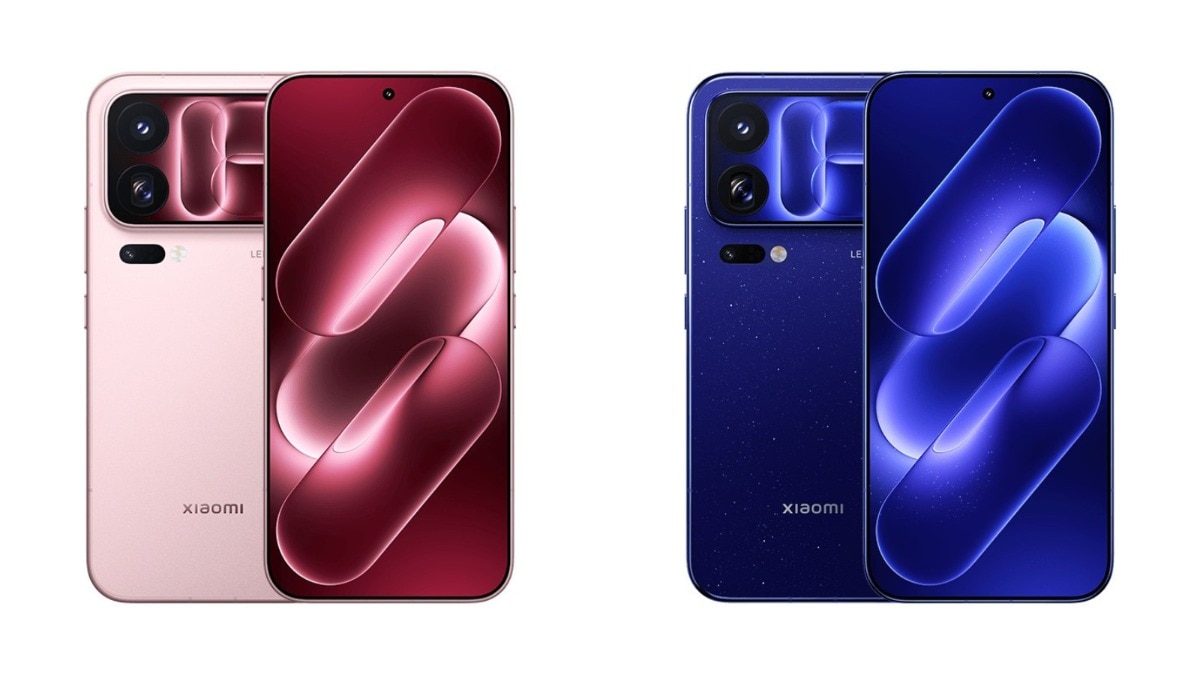
Xiaomi started rolling out the Android 17-based HyperOS 4 globally on November 4. The update brings a new Soft Light Glass interface, better lock screens, and AI features like speech recognition. Xiaomi said the rollout happens in phases through December, so many users will get the update in coming weeks.
For months, Xiaomi users have been asking when their phones will get the Android 17 update. On November 4, 2026, the company finally gave an answer. The official HyperOS account announced that the stable version of HyperOS 4 has started rolling out. Eligible users will receive the over-the-air update in phases starting now and continuing through December.
From beta testing to a stable release
Beta testing in China started back in August across three separate batches. Global testers got their hands on it in September, with an initial group of seven devices receiving test software.
Now, the stable release is here. Xiaomi says the rollout is happening in phases. This means not every region or user will get the update on the exact same day. If your settings page does not show an update right now, it simply means your device is in a later phase.
What changes with HyperOS 4
Xiaomi is introducing a new look called the Soft Light Glass user interface. This translucent design draws obvious comparisons with Apple's Liquid Glass. You will also get a more flexible lock screen, stacked notifications, and resizable home screen folders.
On the artificial intelligence side, the official HyperOS 4 page lists features like AI Speech Recognition and AI Voice Notes, which turn speech into text and help you take quick notes. The company also promises deeper integration to connect your Xiaomi devices more smoothly, alongside easier sharing of files and photos with iPhone users.
Full update schedule and eligible devices
Xiaomi has divided the rollout into three windows: early November, mid-November, and December. The exact dates are not fixed, and the order within a month does not matter.
In early November, the update arrives for the Xiaomi 17 Ultra, Xiaomi 17, Xiaomi 17T Pro, Xiaomi 17T, and the Leica Leitzphone. For Redmi and POCO, the early wave includes the Redmi Note 15 series, Redmi 17 series, Redmi 15C series, POCO F8 series, X8 Pro series, M8 series, C95 Pro, and C85. Tablet users with the Xiaomi Pad 8 and Pad 8 Pro will also get the update early this month.
Mid-November brings the software to the Xiaomi 15 Ultra, Xiaomi 15, Xiaomi 15T Pro, and Xiaomi 15T. The Redmi Note 17 series will also see the update, alongside the POCO F9 Ultra, F9 Pro, F7 series, X8, and X7 Pro series. Tablets getting the mid-November update include the Xiaomi Pad 7 series, Pad Mini, Redmi Pad 2 Pro series, POCO Pad X1, and Pad M1.
Finally, the December rollout covers older flagships and mid-range phones. This includes the Xiaomi MIX Flip, Xiaomi 14 and 13 series, as well as the 14T and 13T series. Redmi phones in this wave are the Redmi Note 14 series, Redmi 15, Redmi 14S, and Redmi A7 Pro.
POCO users with the F6 series, X8s, X7, X6 Pro, M8s 5G, M7, and C81 Pro will also get the update in December. Tablets in the final wave include the Xiaomi Pad 6S Pro 12.4, Redmi Pad 2 series, and POCO Pad C.
Phones that might miss out
Not every phone makes the cut for Android 17. Reports suggest that several older models, including the Redmi K60 Pro, Redmi Note 13 Pro+, Redmi K70 Pro, and POCO X6 5G, will not receive HyperOS 4. While this has not been confirmed on the global page, the usual pattern is that flagship phones get supported longer than budget devices.
What this means for users in India
Xiaomi has not shared a separate rollout calendar for India. Owners of early-wave Redmi Note and POCO phones are highly likely to get the update within a few weeks, but carrier and regional variations can shift these timelines.
To prepare your phone, make sure you back up your data and keep at least 10GB of storage free. It is also best to keep your battery above fifty percent before installing. Instead of waiting for a notification, you can manually check for the update by going to your phone settings, tapping on about phone, and opening the system update section.