
Samsung started the One UI 9.5 beta programme for its Galaxy S26 series on November 18. This update brings a native app lock, improved camera controls, and new health tools to users in select markets. People can join the programme through the Samsung Members app to test these latest software changes.
Users are testing new customisation tools, a native app lock, and streamlined sharing features as the latest software beta expands across major global markets. The update also brings health tracking upgrades and refined camera controls. Find out when the stable release is expected to hit older devices.
Samsung has started rolling out the One UI 9.5 beta programme for its Galaxy S26 series, giving users an early look at the latest changes coming to its smartphone software.
Announced on November 18, the update brings several new features, including a native app lock, improved camera controls, additional privacy options and new tools in Samsung Health. It also introduces changes to Quick Share, lock screen customisation and Digital Wellbeing.
The beta programme is currently open to eligible Galaxy S26 users in select markets, including India, Germany, South Korea, Poland, the UK and the US. Users can apply to join through the Samsung Members app.
Samsung has not announced a confirmed date for the stable release. The final version is expected to bring further refinements before it becomes available to more Galaxy devices.
Native app lock comes to Samsung phones
One of the major additions in One UI 9.5 is the native App Lock feature. It allows users to lock individual applications using fingerprint recognition, face recognition or their device's screen lock, such as a PIN, pattern or password.
Users can lock an app by long-pressing its icon and selecting the lock option. They can also manage their locked applications through Settings. Once an app is locked, its notification content and widgets remain hidden, helping protect personal information even when someone else has access to the unlocked phone.
The feature offers an additional privacy option without requiring users to rely on third-party applications or Samsung's Secure Folder.
Camera gets more customisation options
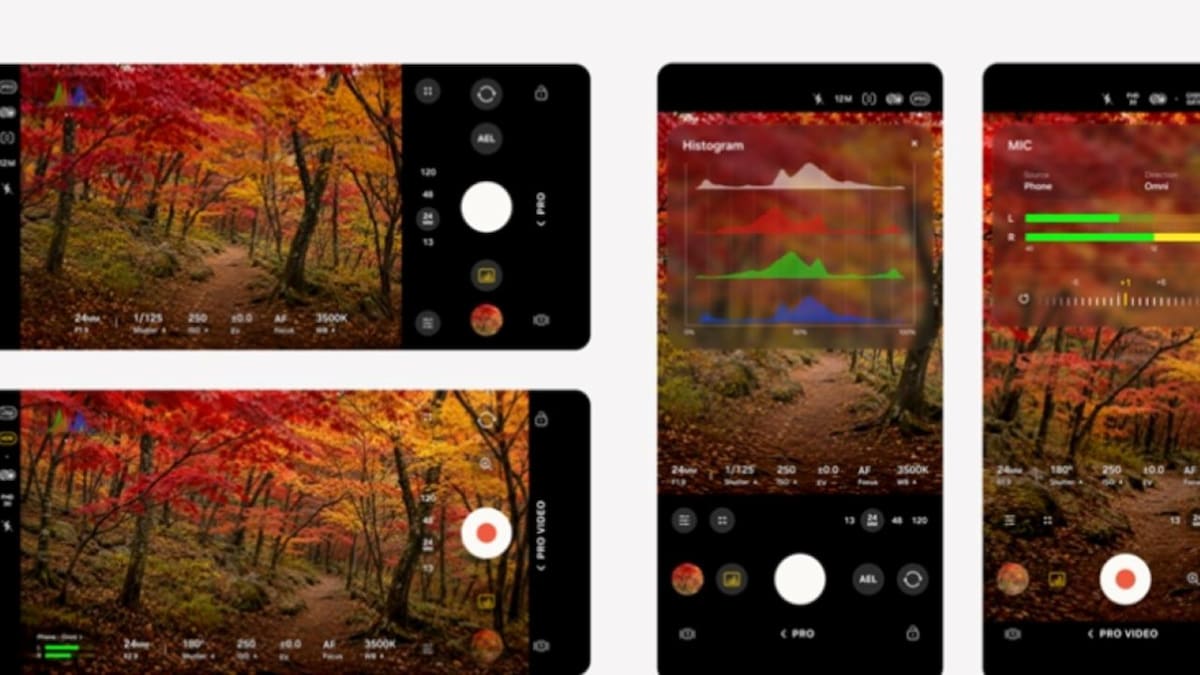
One UI 9.5 brings updated camera controls to give users more flexibility while taking photos and recording videos. The Pro and Pro Video modes now offer customisable controls and presets, allowing users to adjust settings according to their shooting preferences.
The default camera app also gets an improved interface, with key controls brought together on one screen. A redesigned zoom bar makes it easier to adjust zoom levels without moving between multiple menus. The update also adds options to view lens and zoom levels as focal lengths, along with improvements to manual controls, the histogram and audio meter, according to Android Authority.
Quick share gets a tap to share feature
Quick Share is also receiving a new feature called Tap to Share, according to SamMobile. It allows users to begin sharing contacts, links, photos, videos and other files by bringing two compatible phones close together.
To use the feature, both devices need to be unlocked, with NFC, Bluetooth and Wi-Fi enabled. Users can tap the back or top of one compatible phone against another to initiate the sharing process. The recipient can then accept the transfer on their device. The feature makes file sharing more direct by reducing the need to select devices manually from the sharing menu.
Samsung health adds mindful note and medication tracking
Samsung Health is getting two notable additions with the update. The first is Mindful Note, a journaling feature that allows users to record their thoughts and feelings through free writing or guided prompts.
The second is the Medications feature, which allows users to add prescriptions, vitamins and supplements, set reminders and keep track of their daily medication intake.
Privacy display and lock screen improvements
One UI 9.5 also expands the Privacy Display feature on compatible Galaxy S26 Ultra devices. Users can set it to activate automatically when accessing locked apps, private albums in Gallery, locked notes in Samsung Notes and other supported secure features. The update also introduces a Live effect for lock screen wallpapers.