
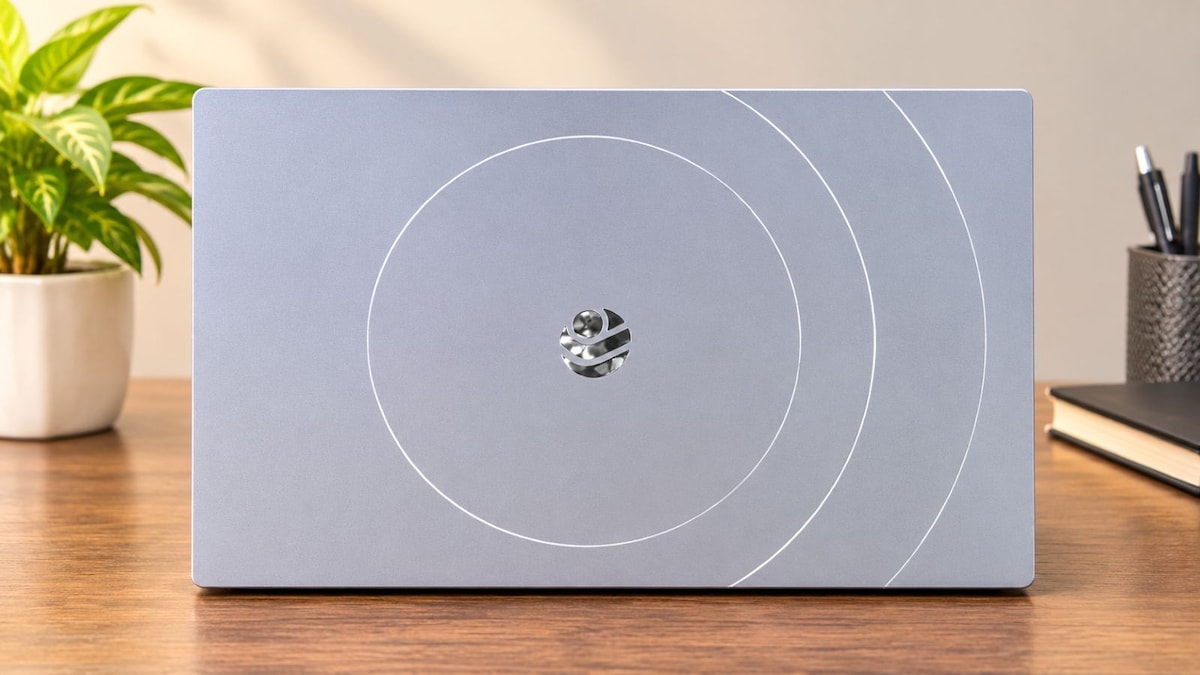
The Primebook 3 Max is an Android-powered laptop starting at ₹35,990. It uses a MediaTek Genio 720 processor and a desktop-style interface to challenge entry-level Windows machines. Designed for students, the 15.6-inch device combines Android apps and Linux software. It aims to help users who need basic tools for daily work.
The Android-powered laptop combines a MediaTek processor with a desktop-style PrimeOS interface, Linux software support, and built-in productivity tools to challenge entry-level Windows machines. Will the unconventional software setup truly satisfy everyday student workflows and demanding application compatibility?
The laptop market has traditionally revolved around Windows and macOS, but Indian startup Primebook is attempting to carve out a different space with its Android-powered machines. Its latest offering, the Primebook 3 Max, takes this approach to a larger 15.6-inch form factor, pairing a MediaTek processor with a desktop-oriented operating system and tools aimed at students and everyday users.
Starting at ₹35,990, the laptop is positioned around the idea that not everyone needs a conventional Windows machine to get their work done. Instead, Primebook wants users to combine Android applications, desktop-style productivity tools and selected Linux software within a single device.
The proposition sounds interesting, particularly for students, first-time laptop buyers and people whose computing requirements revolve around browsing, documents, video streaming and basic productivity.
However, the bigger question is whether Primebook's software experience and hardware combination can deliver enough to justify spending upwards of ₹35,000.
Design and display
The Primebook 3 Max does not experiment much with its physical design. It follows the conventional clamshell laptop format, featuring a 15.6-inch display, a metallic body and a matte finish. The understated styling is available in Space Grey and Black.
Weighing approximately 1.597kg, it is reasonably manageable for a laptop with this screen size. It should be suitable for moving between home, college and the workplace, although users looking for a particularly compact device may prefer a smaller laptop.
The display measures 15.6 inches and offers Full HD resolution with an IPS panel. An anti-glare matte coating is intended to reduce reflections during everyday use, while the rated peak brightness stands at 250 nits.
The specifications make it suitable for routine computing, including document editing, browsing and video consumption. However, the brightness rating is something prospective buyers should consider, particularly if they regularly work in brightly lit environments.
What does the Genio 720 bring to the table?
At the heart of the Primebook 3 Max is MediaTek's Genio 720 chipset, an interesting choice for a laptop because the processor is primarily designed for applications such as smart displays and connected devices.
The chipset uses an octa-core architecture comprising two Cortex-A78 cores clocked at up to 2.6GHz and six Cortex-A55 cores operating at up to 2GHz. Graphics duties are handled by the Mali-G57 MC2 GPU, while an integrated NPU provides support for on-device artificial intelligence workloads.
The processor is paired with 8GB of LPDDR5 RAM and 128GB of UFS 2.2 storage.
Primebook claims the Genio 720 delivers up to 40% better performance than the MediaTek Helio G99 used in its previous-generation Primebook 2 Max. The transition to LPDDR5 memory also represents a hardware upgrade over the LPDDR4X memory used in the earlier model.
These specifications, however, tell only part of the story. Processor benchmarks and real-world usability are two different things, particularly when a laptop uses an operating system that differs from conventional Windows machines.
PrimeOS 3.0: The software is the real differentiator
Perhaps the most interesting aspect of the Primebook 3 Max is not its processor but the software running on it.
The laptop operates on PrimeOS 3.0, which is based on Android 15. Rather than presenting users with the familiar smartphone-style Android interface, Primebook has adapted the platform for a larger screen and conventional laptop controls.
The interface includes a taskbar, file manager, desktop-style application windows and support for multitasking. This allows users to work across Android applications in an environment that is intended to resemble a traditional computer.
PrimeOffice is another important addition. The productivity suite includes PrimeDocs, PrimeSheets and PrimePresent, covering document creation, spreadsheets and presentations. The applications also support offline usage, which is useful for users who do not always have access to an internet connection.
The larger question is application compatibility. Android has an extensive application ecosystem, but not every application is optimised for a laptop display or designed for keyboard-and-mouse interaction.
Primebook is also trying to appeal to users who want to do more than run conventional Android applications.
The operating system supports selected Linux applications, alongside a Linux terminal. The company's supported software list includes Visual Studio Code, GIMP and LibreOffice, potentially making the machine relevant to students exploring programming, design and other technical applications.
For engineering students and beginner developers, this could offer an additional reason to consider the device. However, compatibility with individual applications and the limitations of the underlying hardware will determine how useful this arrangement is in practice.
Artificial intelligence is another part of Primebook's software proposition.
The company has introduced PrimeAGNT, which it describes as an operator AI designed to perform tasks within applications on a user's behalf. This is different from a conventional chatbot that primarily responds to questions or generates text.
The Genio 720 includes an NPU for supported on-device AI processing. However, the extent of local processing will vary by feature, with certain capabilities relying on Primebook's cloud infrastructure.
PrimeAGNT and PrimeX are positioned as value-added services, while PrimeOffice is included as part of the productivity offering.
Keyboard, webcam and audio
For a laptop intended for students and everyday productivity, the input and communication experience matters as much as the processor.
The Primebook 3 Max features a 5MP webcam with video recording support of up to 1440p at 30 frames per second. It is accompanied by dual microphones and software-based noise cancellation.
On paper, the camera resolution is higher than the 720p webcams commonly found on several entry-level laptops. However, resolution alone does not determine video-call quality. Image processing, exposure and microphone performance also play an important role.
The laptop also comes with dual stereo speakers.
Primebook has included a reasonably varied selection of ports, reducing the need to rely entirely on adapters.
The connectivity options include:
- One USB 3.2 Type-A port - One USB 2.0 Type-A port - One USB 3.2 Type-C port - One USB 2.0 Type-C port - A 3.5mm headphone jack - A microSD card slot
The USB 3.2 Type-C port supports charging, OTG connectivity and external display output through a compatible Type-C to HDMI cable. The laptop also supports Wi-Fi 6 and Bluetooth 5.3.
Internal storage is limited to 128GB of UFS 2.2, although users can expand it using a microSD card of up to 1TB.
The storage capacity may be adequate for users who primarily work with online applications, documents and media streaming. Those who regularly download large files or install several applications may need additional storage.
Battery and charging
The Primebook 3 Max houses an 8,000mAh battery and ships with a 45W Type-C power adapter.
Battery performance will be particularly important for students and professionals who intend to carry the laptop around without remaining connected to a power source.
It is important to distinguish between continuous video playback, mixed productivity workloads and standby time, as each places a different demand on the battery.
Verdict: Who should consider the Primebook 3 Max?
At ₹35,990, the Primebook 3 Max is attempting to offer something different from the conventional entry-level laptop. Its proposition rests on a combination of Android application support, a desktop-style interface, Linux compatibility and productivity tools.
The 15.6-inch Full HD display, 8GB LPDDR5 RAM, MediaTek Genio 720 processor and expandable storage provide the hardware foundation. Meanwhile, PrimeOS 3.0 is expected to make the device more versatile than a conventional Android tablet with a keyboard attached.
But its suitability will depend heavily on what buyers expect from a laptop.
Students who primarily need a machine for browsing, online classes, presentations, documents and basic coding may find the proposition worth considering. Users who depend on specialised Windows software, demanding creative applications or intensive computing workloads should carefully evaluate application compatibility before making a purchase.
Ultimately, the Primebook 3 Max needs to be judged not just on its specifications, but on how effectively its Android-based computing experience translates into everyday productivity.